
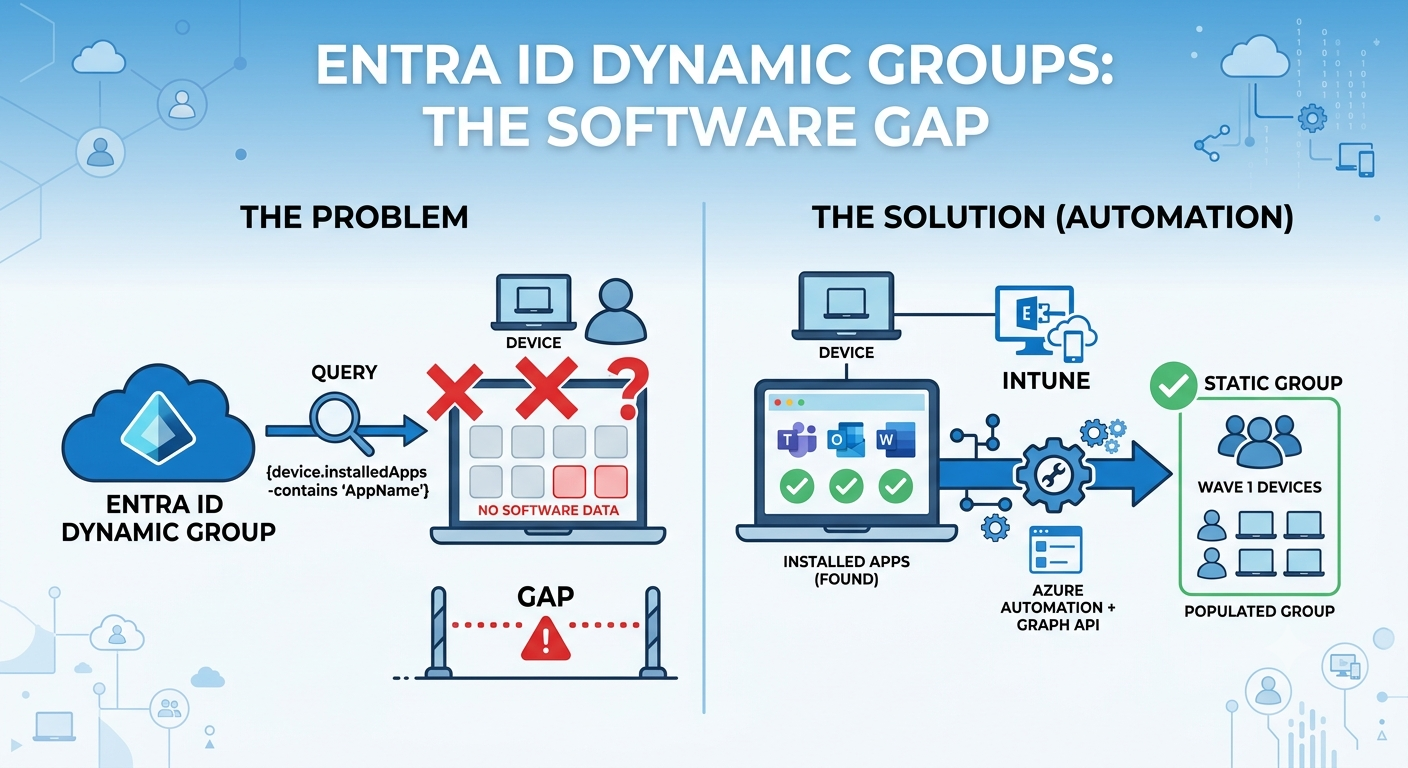
Entra ID Dynamic Groups Can’t Query Installed Software (Here’s What To Do Instead)
Entra ID dynamic groups are powerful, but they can’t query everything – and this is the first post in a series showing how to automate Intune device management tasks that fall outside what dynamic membership rules can express, specifically adding and removing devices from Entra groups based on installed software and other conditions, built entirely with Microsoft Graph and Azure Automation.
Let’s suppose that you’re staging a deployment in waves, and wave 1 is supposed to be “everything that already had a specific application removed” – because this application is known to break the upgrade if it’s still installed. Not a device model, not an OS build, not anything sitting on the device object in Entra. Just: did this specific app get uninstalled, yes or no.
You open the dynamic membership rule builder. You start typing a query. And you stop, because there’s no attribute for “has this specific application installed.” There never was. Dynamic groups don’t know what’s on a device – they only know what’s about the device: its name, its OS version, its enrollment profile, a handful of extension attributes. Whether an app got installed is a completely different kind of fact, and Entra’s rule engine was never built to ask that question.
This is the gap this post is about, and it comes up constantly – not just for migration gating, but for anything shaped like “put this device in a group based on something that happened to it, not something it is.” This is also the first post in a series on exactly that: automating the addition and removal of members from a static (assigned) group, driven by properties and conditions that dynamic membership rules simply can’t query.
I genuinely find this architecture fascinating and wanted to share the entire automation process in this post.
Table of Contents
The three actors, and why they don’t talk to each other
Before getting into workarounds, it’s worth being precise about who owns what – because the confusion usually starts here.
Entra ID’s dynamic membership engine evaluates a rule against the device or user object at the moment membership is recalculated. It’s fast, it’s native, and it’s completely blind to anything that isn’t a property on that object.
Intune knows far more about a device than Entra does – installed applications, compliance detail, hardware inventory, custom detection script output – but almost none of that gets written back onto the Entra device object where dynamic rules could read it. Intune and Entra share a device identity, not a data model.
Microsoft Graph is the only thing that can see both worlds at once. It can query Intune’s device inventory and write Entra group membership – but nothing does that automatically. Somebody has to write the automation.
That’s really the whole problem in one sentence: the system that knows the interesting facts (Intune) and the system that acts on group membership (Entra) don’t talk to each other (for specific attributes or information) unless a script sits in between. Dynamic groups look like they should solve this because they’re “automatic” – but automatic only helps if the fact you care about already lives on the object being evaluated.
What Entra ID dynamic groups membership rules can actually see
To be fair to dynamic groups, the supported attribute set isn’t small. It covers most identity and enrollment metadata: device name, OS type and version, enrollment profile name, device ownership (corporate vs. personal), management type, group tag, and extensionAttribute1 through extensionAttribute15 – fifteen free-text slots that anything can write to, which is the one genuinely useful escape hatch in the whole system (more on that below).
What it does not cover, is anything Intune discovers after enrollment: detected applications, compliance grace-period state, remediation script output, or any bespoke value living in the registry or a local file. Those facts exist – Intune usually already has them – they’re just not exposed as a queryable device attribute.
Where it breaks down – real scenarios
| Desired condition | Expressible as a dynamic rule? |
|---|---|
| Device is Windows 11, corporate-owned | Yes – native attributes |
| Device came from a specific Autopilot profile | Yes – enrollmentProfileName |
| Device has a specific app installed/patched | No – not a device attribute |
| Device failed a specific remediation script | No – output isn’t exposed to Entra |
| Device’s local registry has a specific value | No – same issue |
| Device belongs to “wave 3” of a staged rollout, based on a value you invented | Only if you write it into an extensionAttribute yourself |
What other people have already built
This is a well-trodden gap, and it’s worth crediting the people who’ve already built working versions of it rather than pretending it’s undiscovered territory.
Over at cmdctrl4U, there’s a PowerShell-based remediation script that authenticates to Graph with an app registration, checks for installed software on a schedule, and adds or removes the device from a group directly from the endpoint.
Syst & Deploy has published a similar pattern built around a webhook and an Azure Automation runbook instead of calling Graph straight from the device – the remediation script just triggers the runbook, which does the actual group membership write centrally. A follow-up post on that same blog reuses the pattern for a registry-key condition instead of an installed app, which is a good sign that the underlying approach generalizes.
Both are amazing, working solutions. Where I think there’s still room to add something: why trigger this from the endpoint at all, if Intune already has the install state centrally via Graph? That question is basically the thesis for the next post in this series.
The shape of a solution
Without getting into implementation yet (that’s for next posts), there are really four shapes this automation can take, and it’s worth knowing the map before picking one:
- Device-side remediation script – runs on the endpoint, calls Graph directly, adds/removes itself from the group. Simplest to stand up, but every endpoint ends up holding Graph credentials, which is a real security surface.
- Remediation trigger + centralized runbook – the endpoint only signals “condition met,” a central Automation runbook or Function does the actual Graph write. Keeps credentials off endpoints.
- The extensionAttribute bridge – write the detected condition into an
extensionAttributevia Graph, then let a genuinely native dynamic group pick it up. No custom membership logic to maintain at all. - Scheduled cloud-only reconciliation – a timer job queries Graph for the condition (installed apps are already queryable via
detectedAppswithout touching the device at all) and reconciles group membership centrally, with nothing running on any endpoint.
The 4th one is the one I’m building out for the rest of this series, largely because having everything working in the cloud without needing to do any manual action or exposing creds or secrets somewhere is a very convenient and secure way to go. It’s already built and running as a scheduled Azure Function at the time of writing this post – Parts 2 and 3 walk through exactly how.
What’s coming next in this series
This post is part one of a three-part series working through this end to end:
- Part 2 – the cloud-only architecture: why this doesn’t need an on-prem dependency or anything running on the endpoint at all
- Part 3 – the implementation: Key Vault, Managed Identity, Function App, step by step with the real portal screens, plus the automation logic itself and the permission/credential pitfalls that will cost you an afternoon if you don’t know they’re coming
If you’ve built something similar with a different pattern – device-side, Power Automate, something else entirely – I’d genuinely like to hear about it.
Other interesting posts worth reading: Entra ID Conditional Access + Intune Compliance – the token flow explained for how Intune’s signals reach Entra in a different context, and Intune – Autopilot preparation for the dynamic-group basics this post assumes.